Thursday, September 17, 2009

"9" Movie Game Art

Everyone's heard by now of the new movie just out last weekend called "9," created and directed by Shane Acker and produced by Tim Burton and Timur Bekmambatov. There was originally going to be a video game based on the movie (as most animated movies have these days), but unfortunately because the publisher of it went under, the partly-completed game was scrapped, almost a year ago.

You may remember that's about when I got laid off; it's not a coincidence. One of the projects I was working on was indeed the "9" movie game, and when it was cancelled there just wasn't enough work to keep us all on staff.

Now that the movie is out, here's a bunch of the work I did on it:

Character Designs

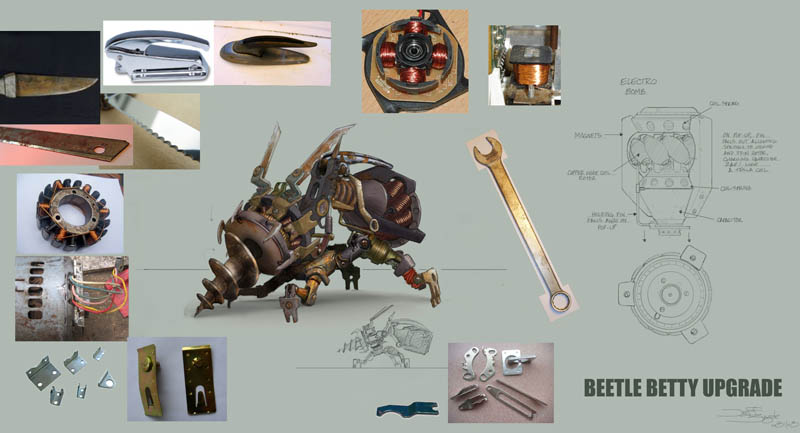
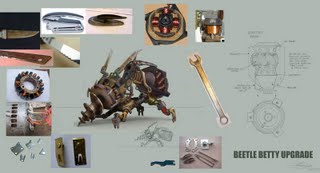
Lead concept artist Miguel Lleras created a creature called the "Beetle Betty," which would burrow into the ground headfirst and then pop up an explosive device, like the awful "bouncing betty" anti-personnel land mine. Based on his design, I had to come up with an "upgrade" to this beast the final of which is here with reference photos for various parts:

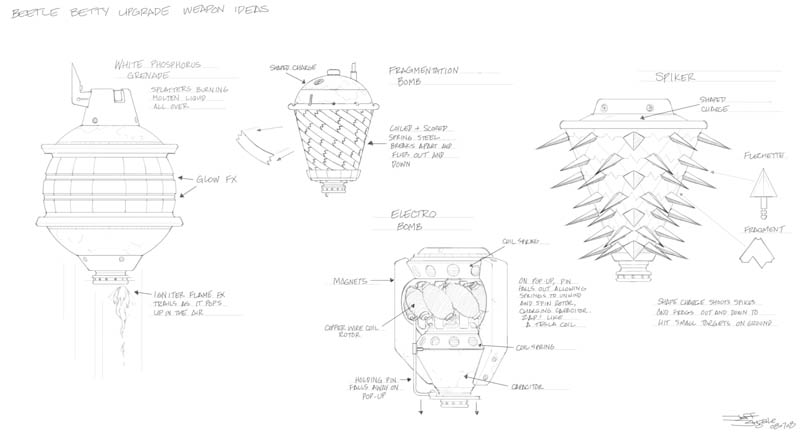
The first thing to figure out was what the upgraded bomb would be. I had some ideas for nasty fragmentation devices and also an electrical "lightning bolt" weapon:


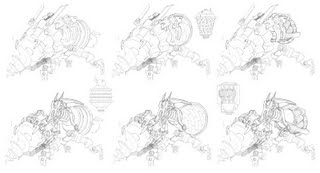
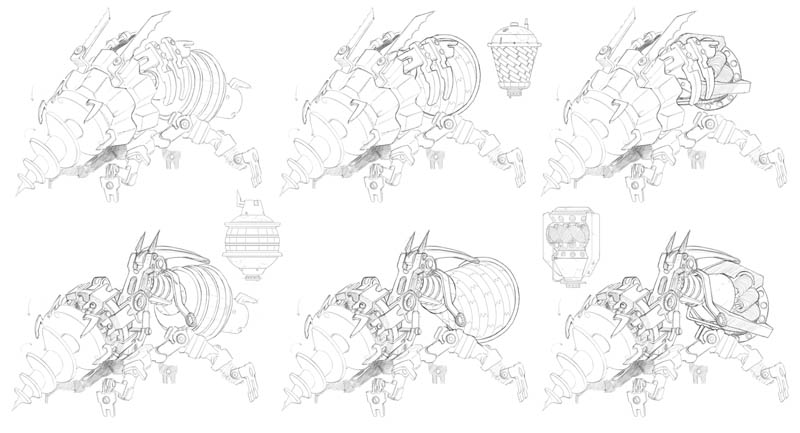
Then I did some design sketches for the upgraded beast with the different bomb ideas attached:
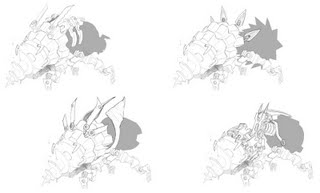


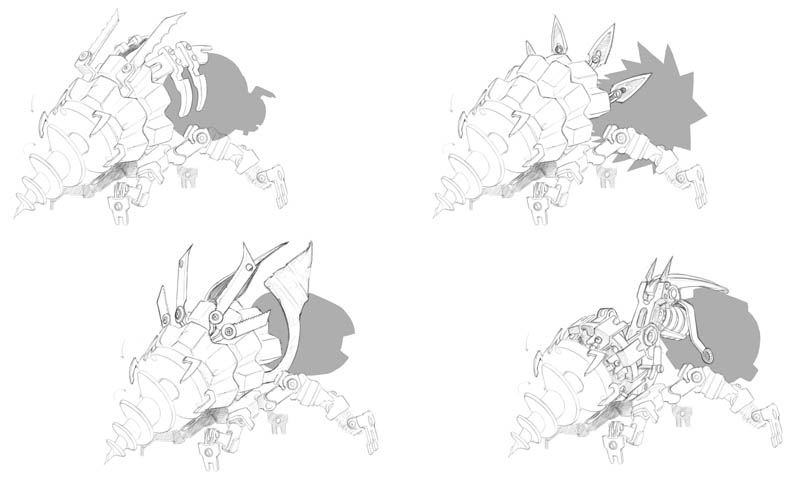
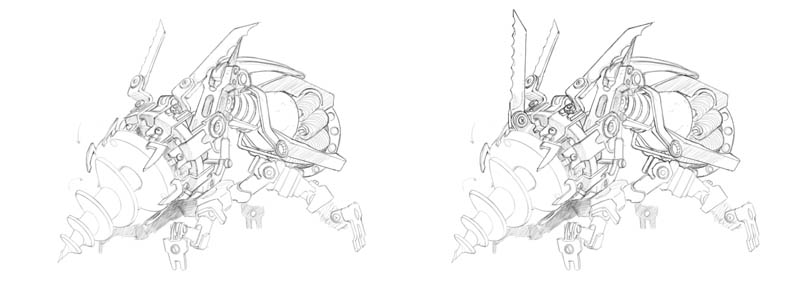
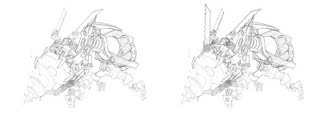
They chose the electrical device and asked for a couple of specific options for the creature shape. From these two they chose the final design above:

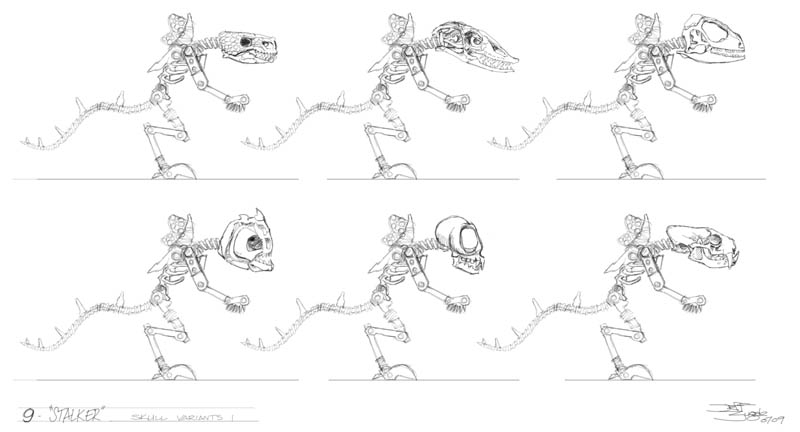
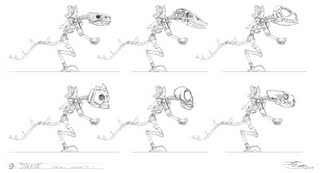
We also needed an upgrade for a beast called the Rat Stalker, again with heavier weaponry and a different skull design than the original. I had a body design to work from, so first I tried a bunch of different small animal skulls:

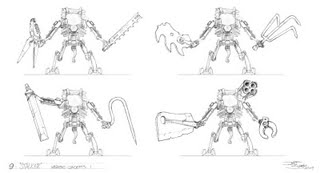
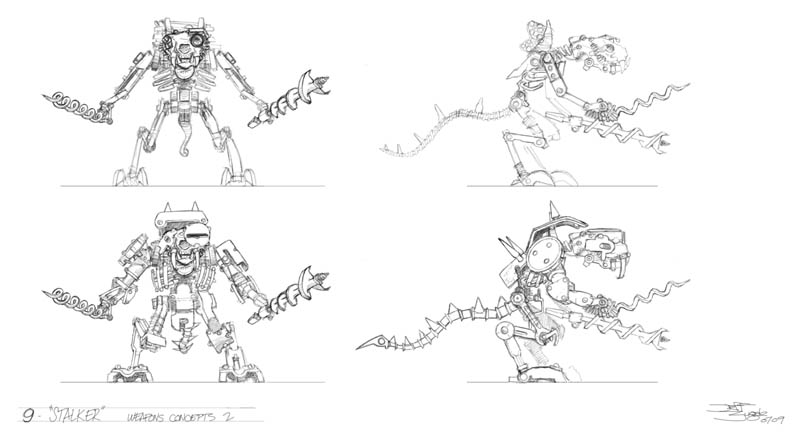
Then I tried out a series of new weapons for it to carry:
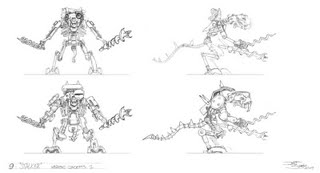


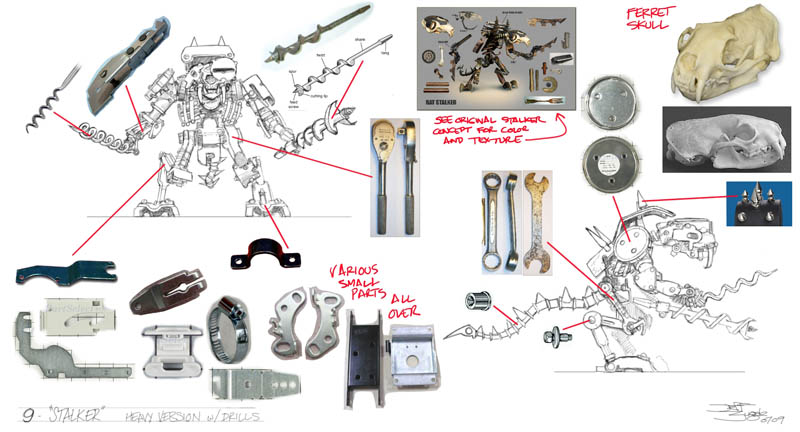
They decided to go with drills and a ferret skull, which resulted in this final art:
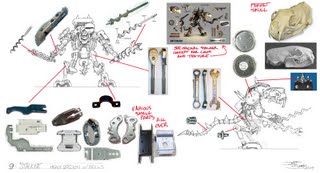

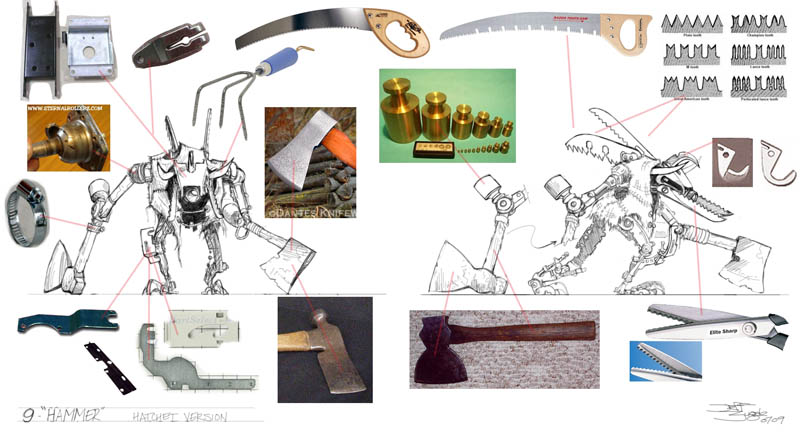
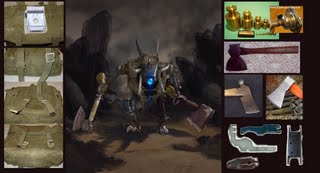
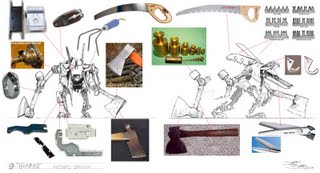
All the characters in 9 are assembled from various small machine parts and random tools and bits of junk, so I found a lot of reference on the Internet for all the various bits. It was fun using them as puzzle pieces to build new monsters.

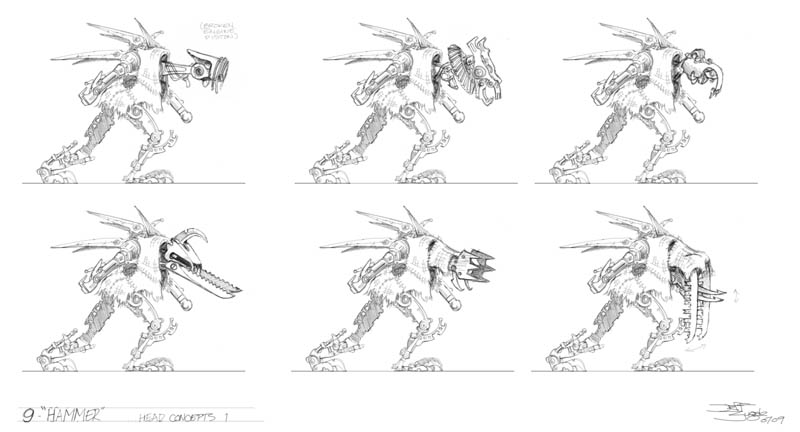
Lastly, we had a Hammer Beast which needed an upgrade. I started with new head designs:
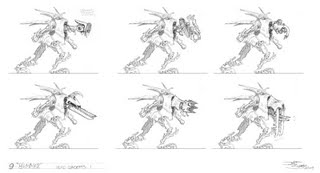

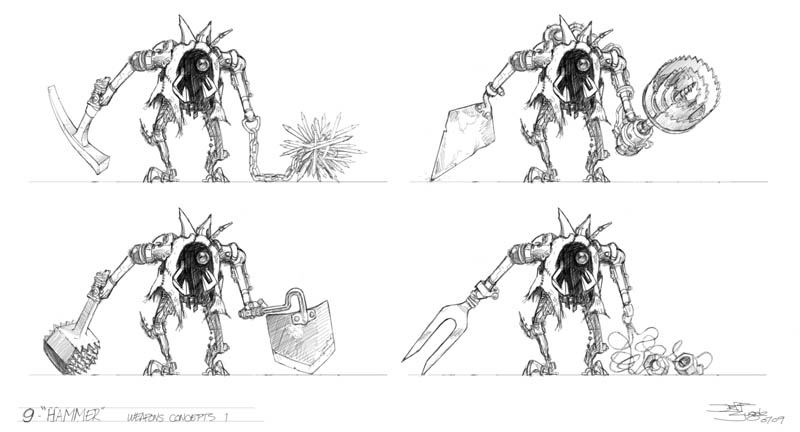
And then again started messing with several different types of weapons:
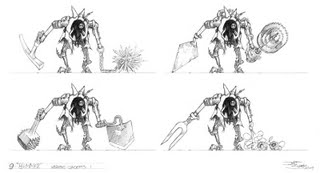

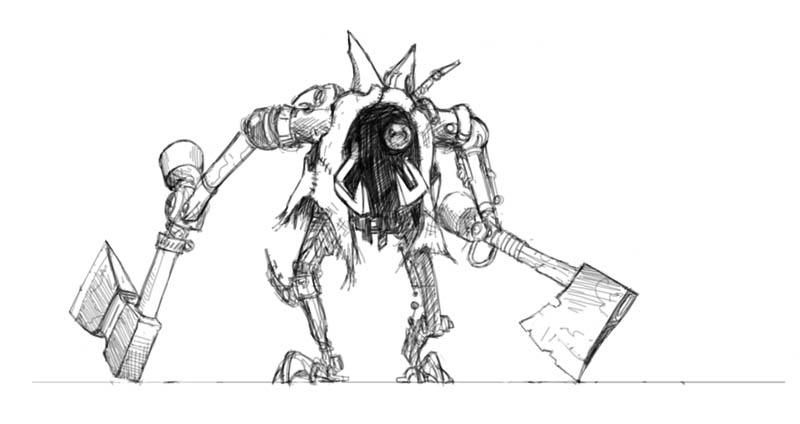
Then it dawned on me that the obvious choice to upgrade hammers was hatchets!
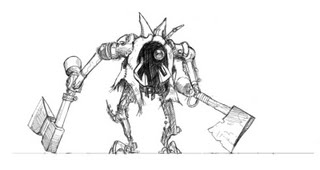

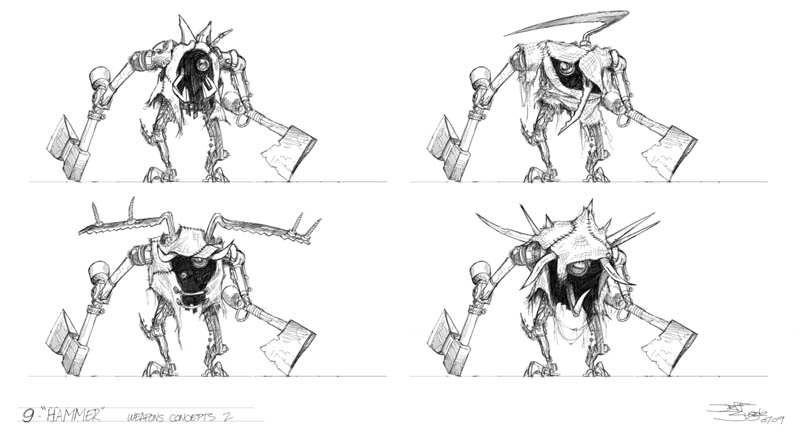
At the same time I worked on some different front view designs to try to give it a distinctive silhouette:
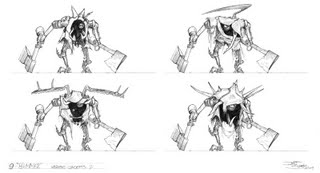

After review, here's the final approved design, with lots of reference to help the modelers with the color and textures:

Environment Designs

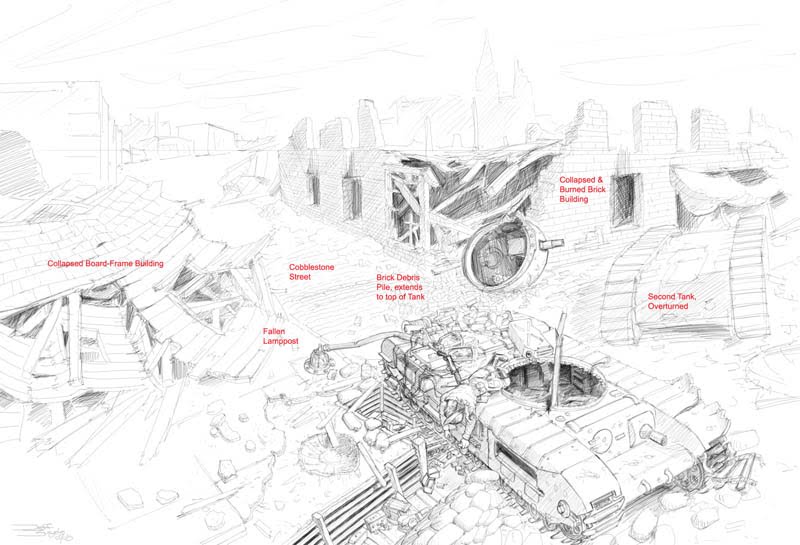
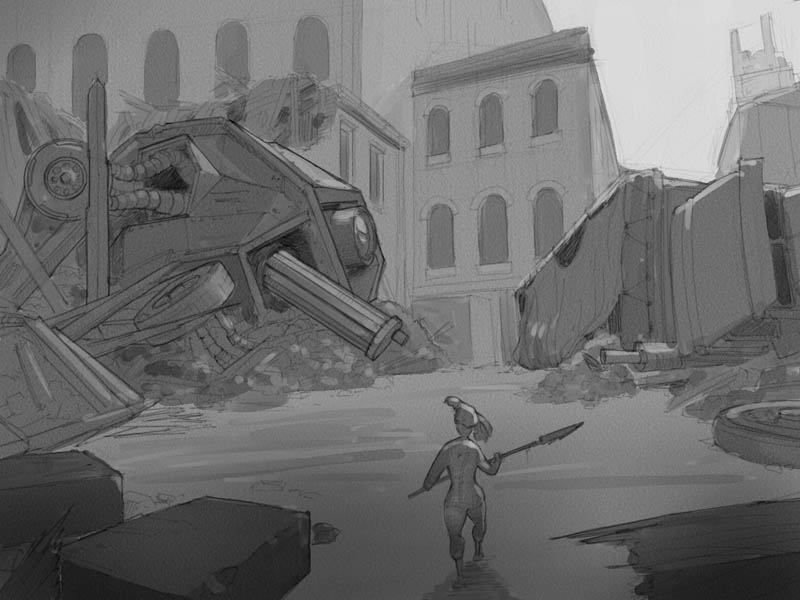
The world of "9" is a post-apocalyptic urban warfare zone, basically a bombed out city based in a time period somewhere between WWI and WWII. One level design I worked on was an abandoned battle line trench with a destroyed tank sitting astride it:
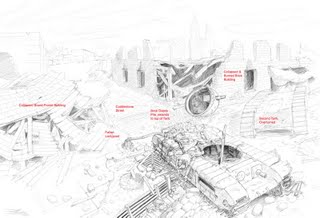

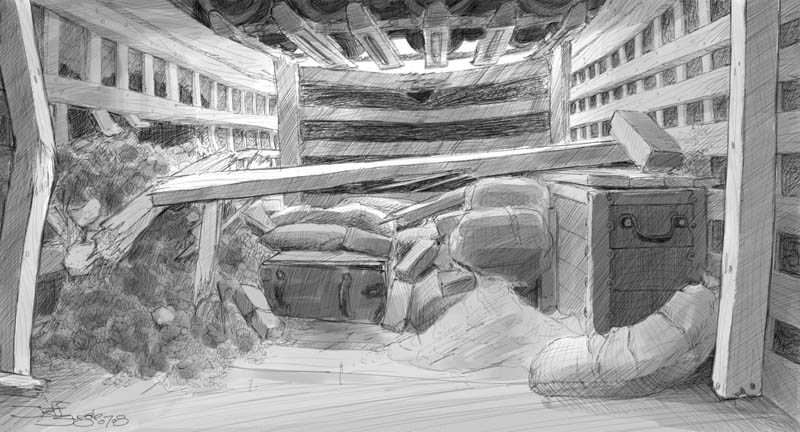
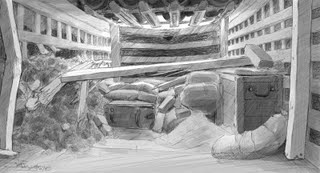
The player would travel through the trench and then up over the top of the tank. They could see quite a bit of the surrounding area so it all had to be figured out. After climbing over the tank, the player would wind up back under it from the other side in this area, where they'd face the level boss. You can see the tank treads are the ceiling of the room:

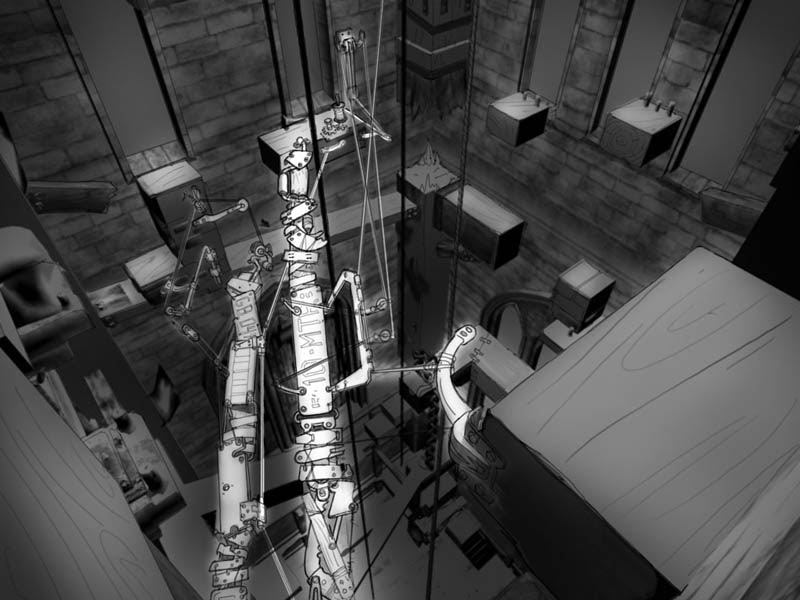
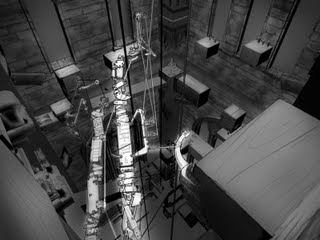
The next environment is inside a church bell tower. The player would have to climb the inside of the tower - the characters are only 6-8 inches tall, but the buildings are human-sized - by negotiating various paths up the walls, and by activating catwalks in various spots. I sketched in some of the catwalk paths over the actual 3D model of the tower interior:
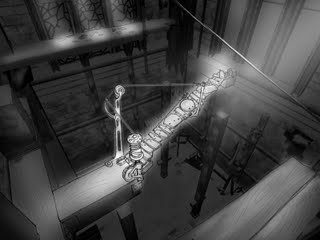


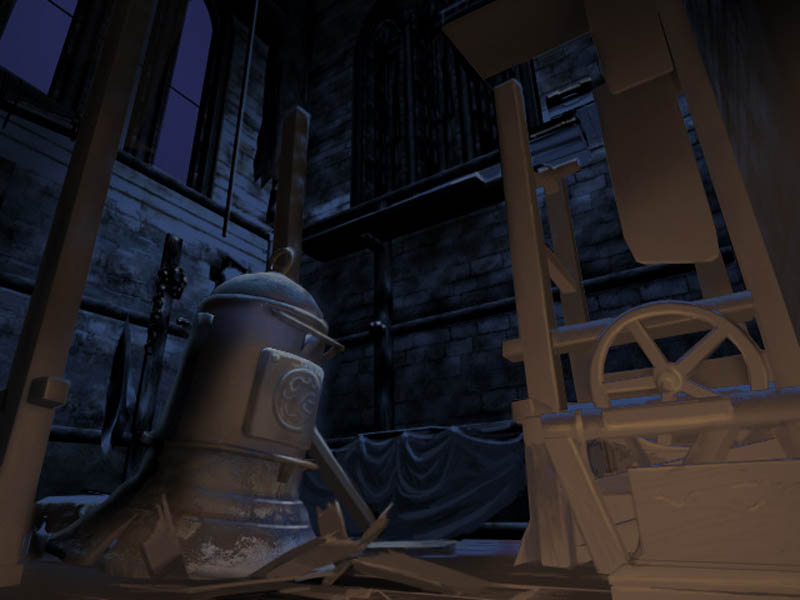
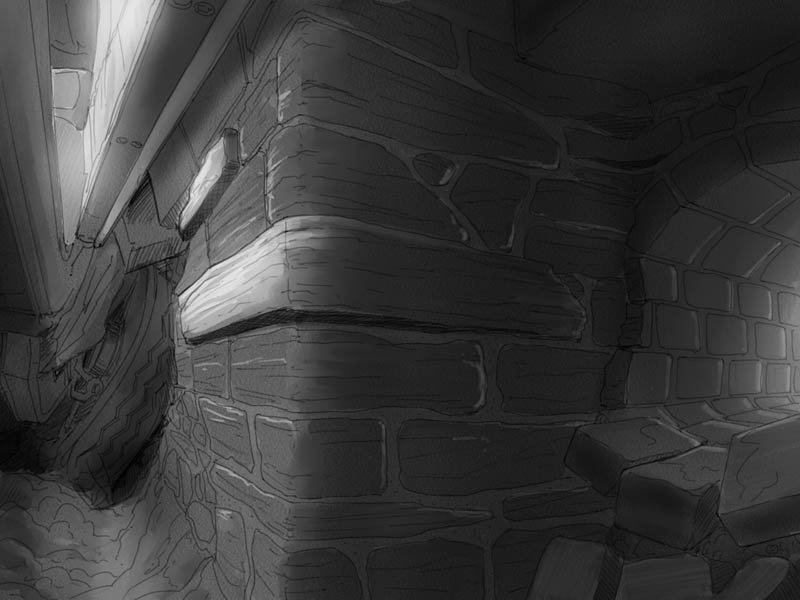
And here's an unfinished painting I was working on to help establish the lighting mood at the base of the tower:
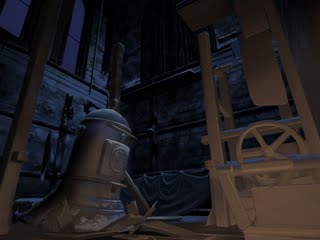

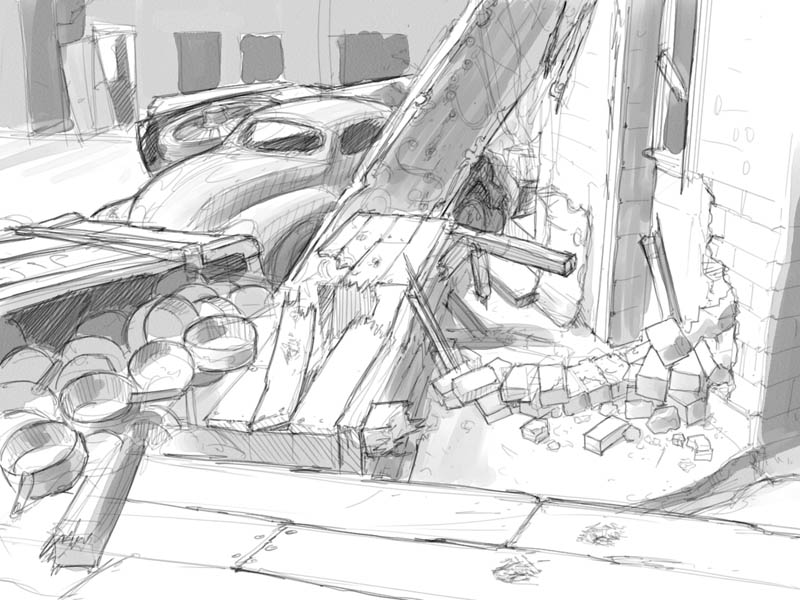
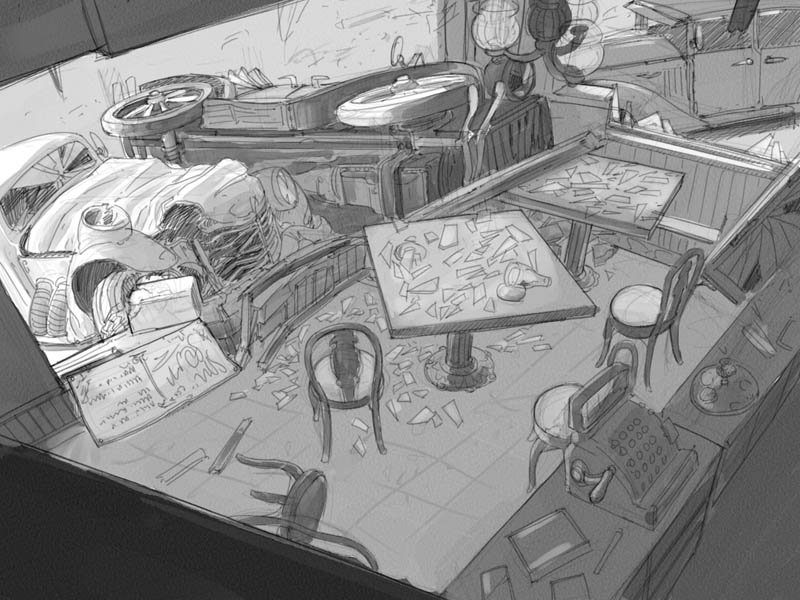
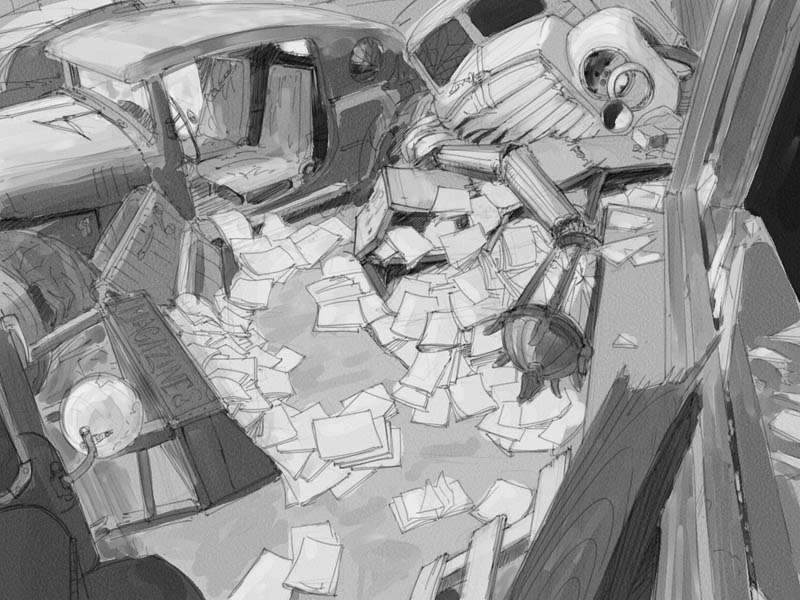
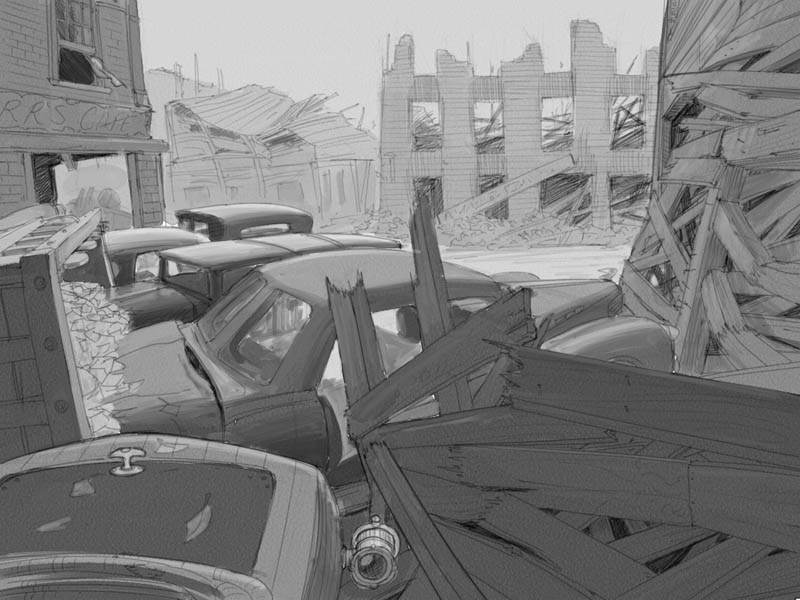
The last environment I did was a full level design called the War Torn Street. These show all the areas the character would be moving through from start to finish. In most cases the character would be moving from left to right:

Exterior cafe:
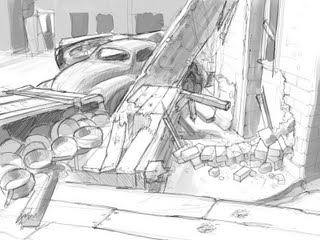

Interior cafe:
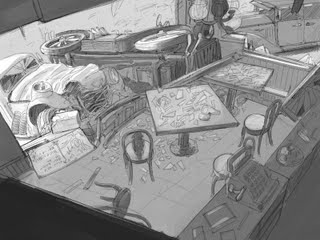

Out the other side of the cafe (right to left from windowsill thru the car interior):
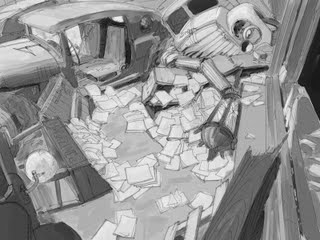

Over the car tops from left to right:
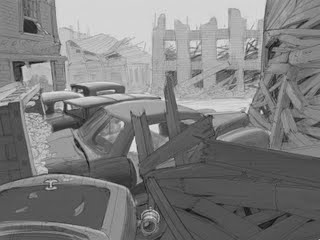

Through a large open area featuring a destroyed War Machine - in this level you play as the character shown here called "7," played by Jennifer Connelly in the film:
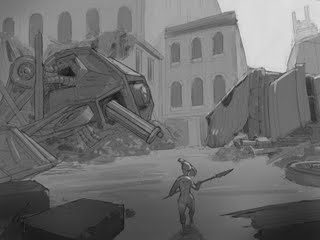

Over and through another car, then past an unexploded bomb (yikes!):
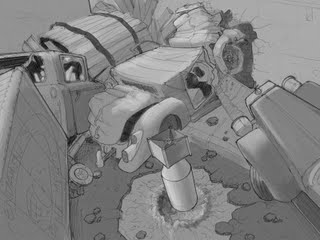

Through a winding path and another car:
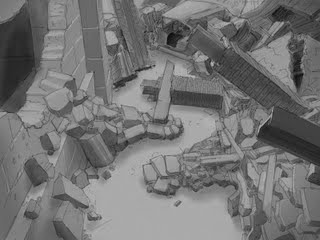

Then to this arena area to face the level boss:
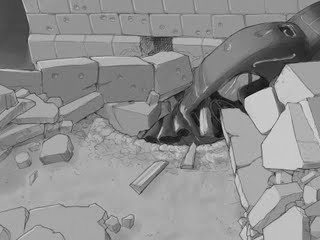

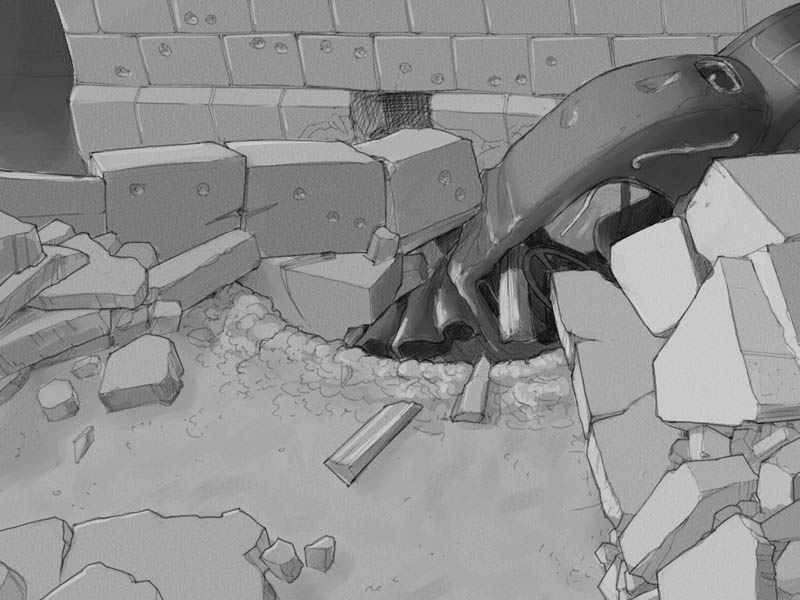
And once you beat him, down through the last smashed car into the dry sewer pipe that leads into the Cathedral:
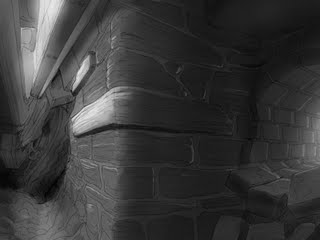

I should mention that all this pencil-looking stuff was done using Painter IX's pencil brush tool, which is one of my favorite digital brushes. The graytones were all done with Digital Watercolor brushes.

Storyboards

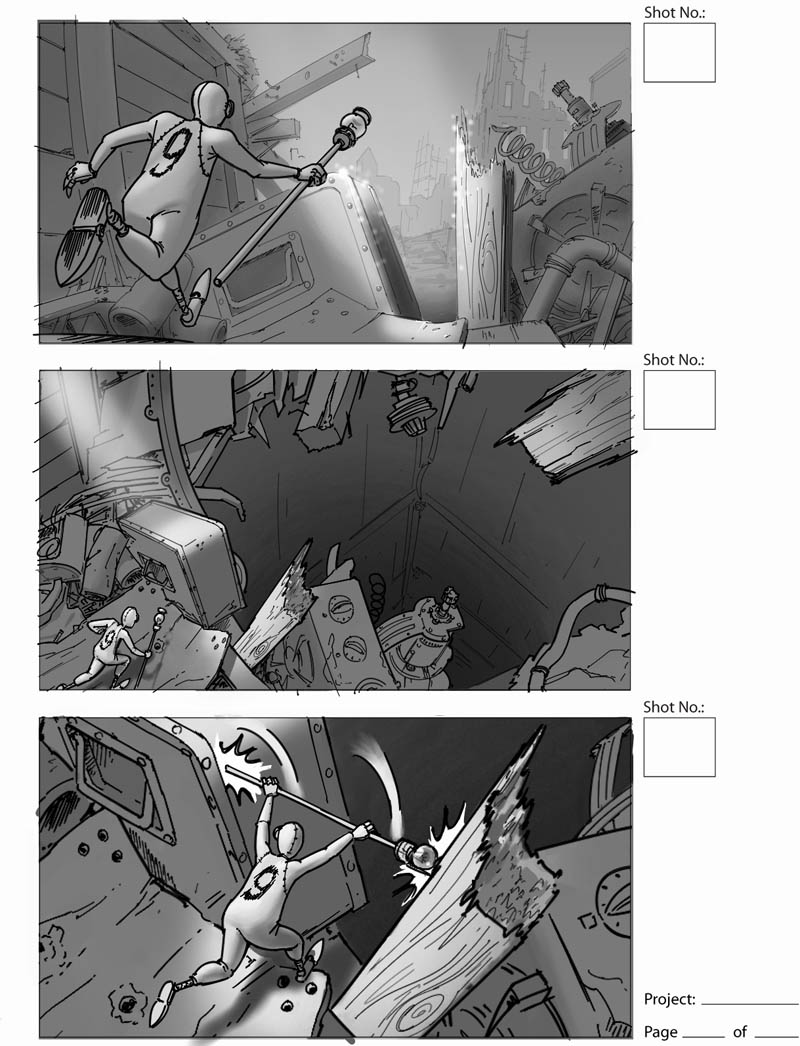
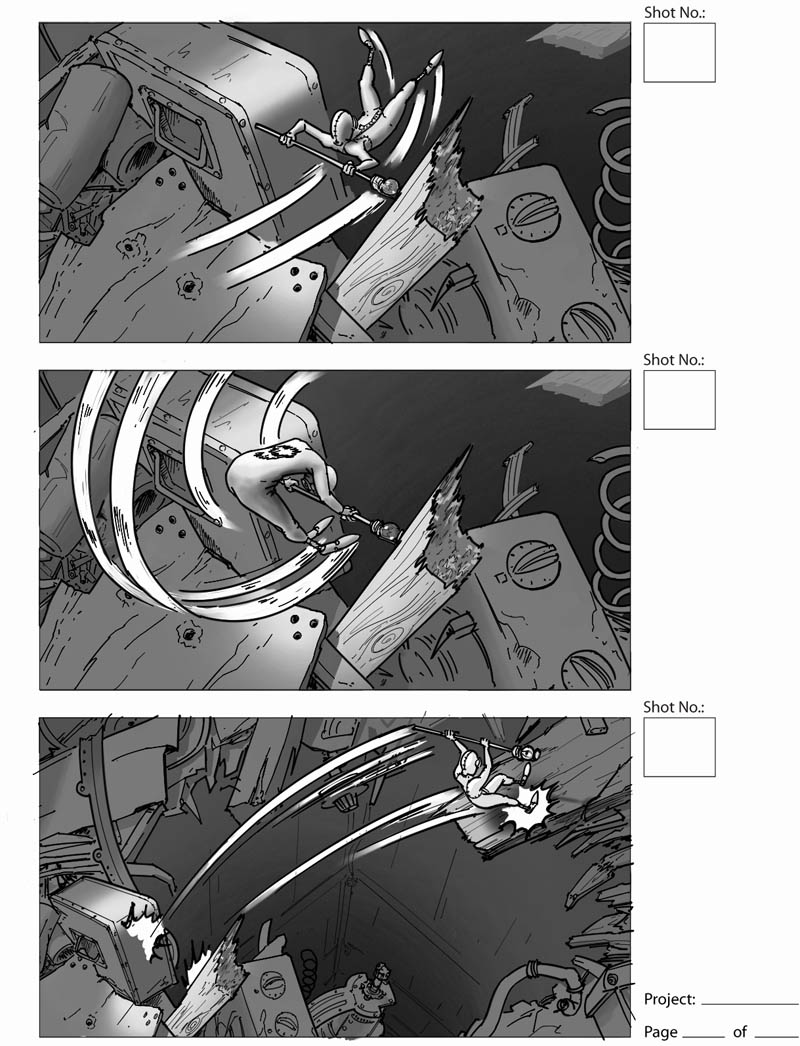
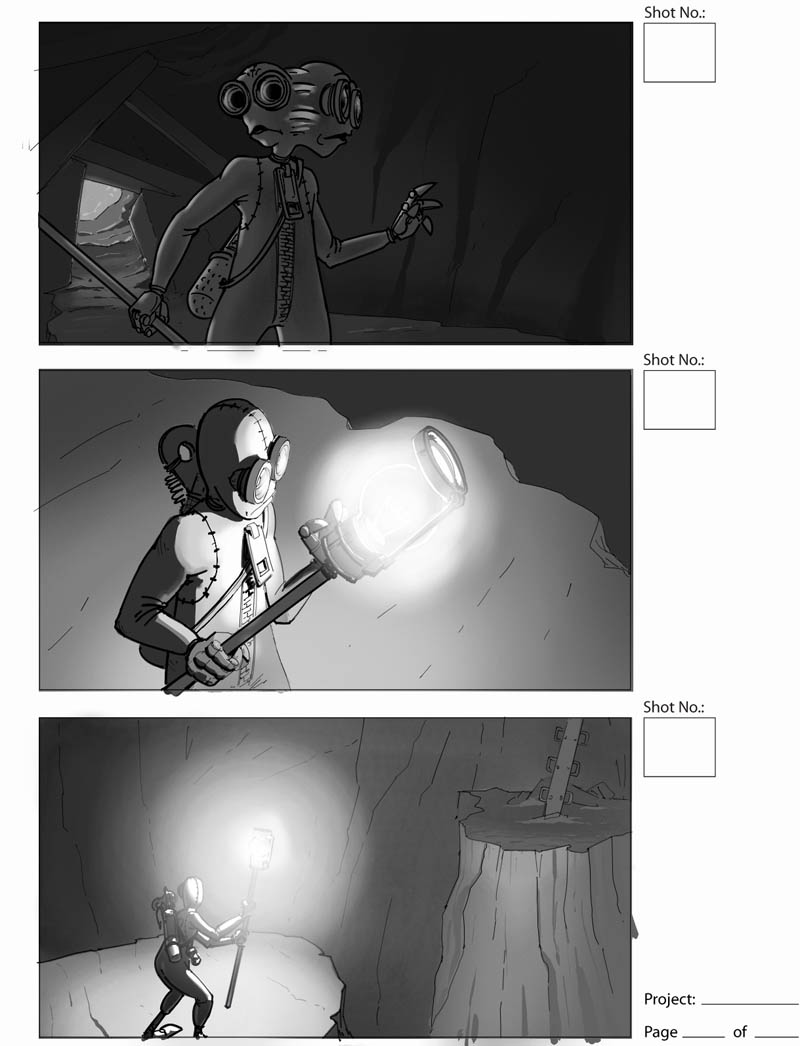
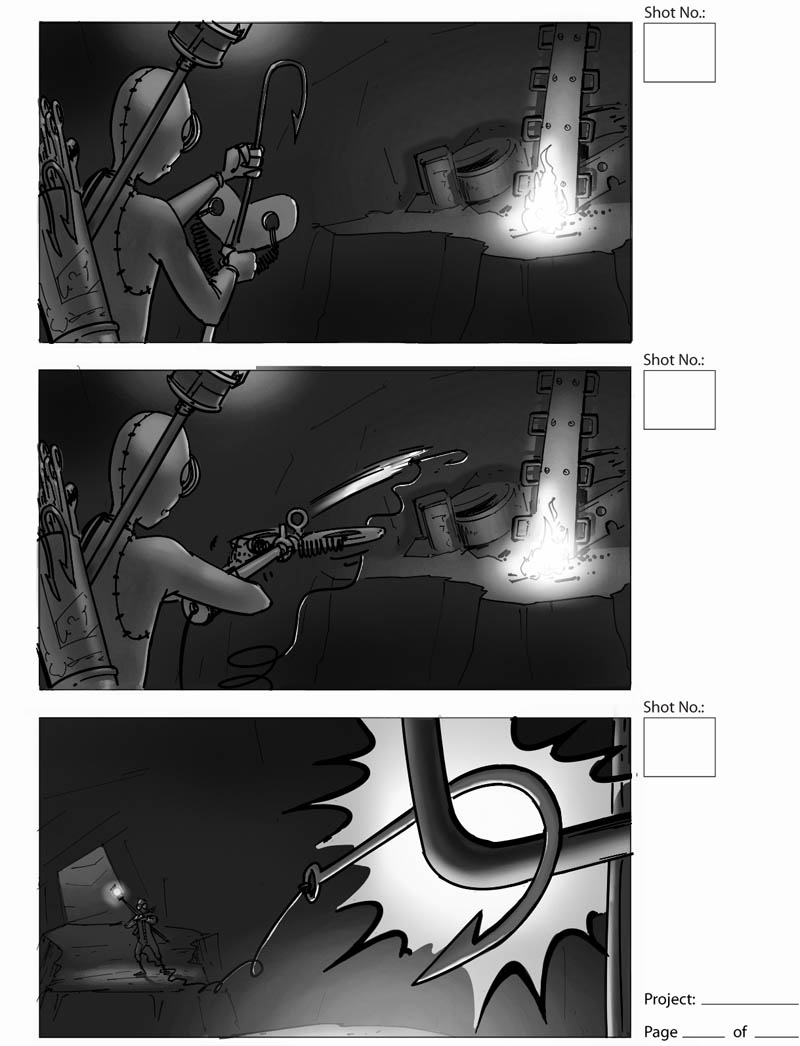
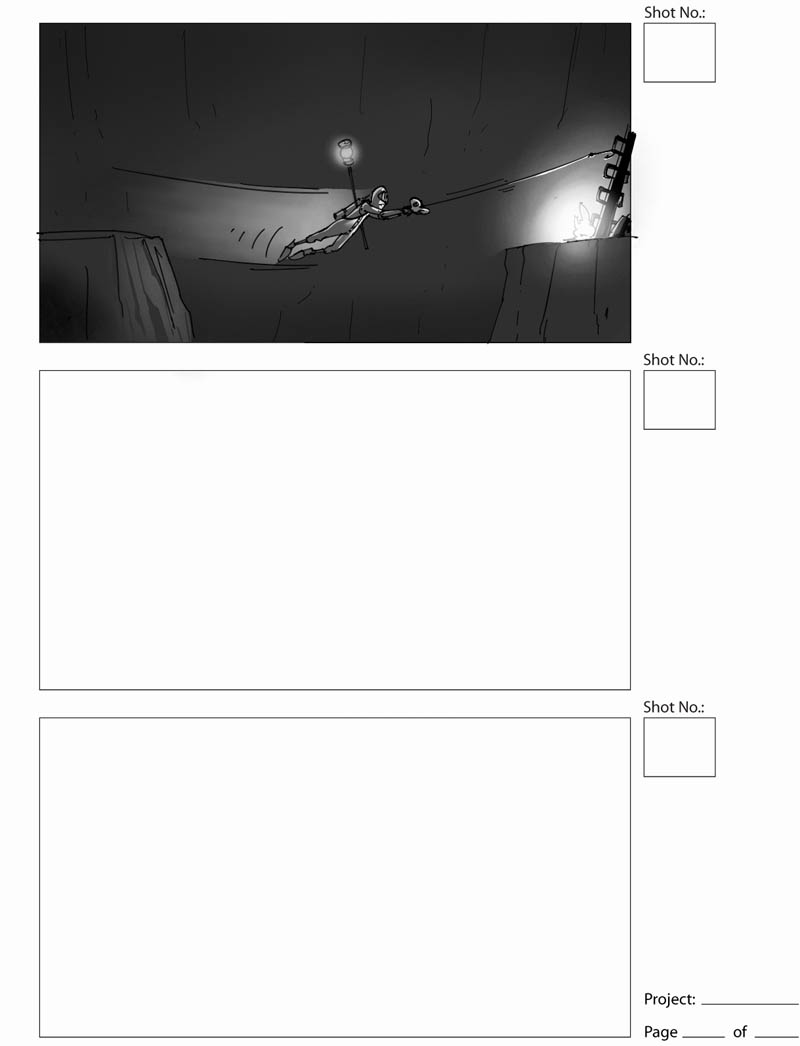
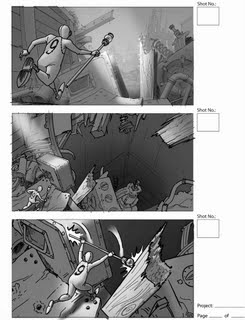
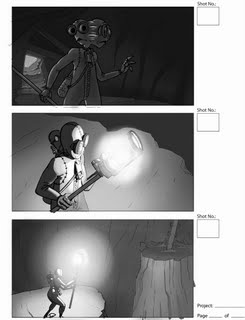
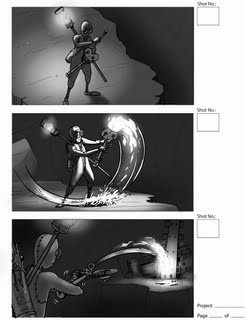
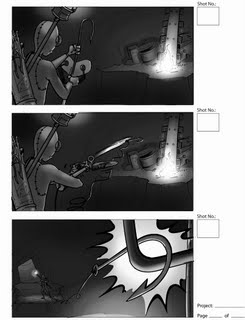
These are really "action boards," just used to demonstrate various gameplay elements to show the publisher, designers, modelers and animators the kind of things the character is supposed to do.

They wanted the main character to be able to use his staff to wedge into some kinds of gateways, to do a kind of gymnastic bar vault move to get over places too wide to jump across:
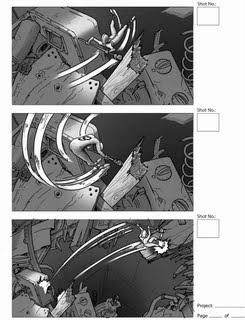


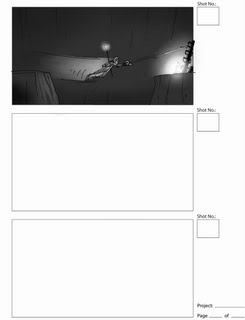
A longer sequence showing many things 9 could do. First he finds himself in a dark place, so he turns on a light on his staff:

He sees he has to cross a chasm, but it's dark over there; he uses a kind of crossbow to fire a lit match to the other side to light the way:

And finally loads the crossbow with a fishhook and line so he can swing across:


This world that Shane Acker created is both fun to play around in and really spooky and strange. It's too bad the game couldn't be finished, I think the story and obviously the whole CG-made nature of the world actually lend itself well to be done in video game format - much more so than a lot of other movie games. This art was actually really enjoyable to work on and was a highlight of my time at that job, even though it was related to the end of it, heh...

I haven't seen the film yet, hopefully I can go this weekend. Apparently it's doing pretty well, surprisingly well! On the project I've been working on the last few weeks, I'm doing concept art and working with a very cool storyboard artist who did a lot of work on the 9 film, working directly with Shane Acker, named Régis Camargo. Check out his blog where he's just posted a bunch of the storyboards he did for the film! He's an excellent animator, too, and has done two short films all on his own... awesome.

Labels: , , , , , , , , ,

Monday, June 22, 2009

Design Project: Military Hovercraft, Marker

Here's the hovercraft done in a marker rendering:


Used Prismas and Copic markers over a copy made on my new printer - the inks don't smear when markered over, which is great. Hit it with a bunch of ProWhite for the splashes and highlights.

Labels: , , , , ,

Monday, June 15, 2009

Spaceship Sketch

Here's a spaceship thing I did for fun while at a meeting.


I draw a lot of spaceships.

Labels: , , , , ,

Thursday, June 11, 2009

Design Project: Military Hovercraft

I came up with this idea about a year ago but never rendered it; it popped into my head last night so I decided to draw it. I couldn't find the rough sketches so I had to do it from memory:


I like this better than the first sketch ideas that I remember, actually. This vehicle is kind of like a hovercraft version of a jeep or HUMMV with a machine-gun mount (reminiscent of Halo's Warthog, to be sure, heh), but not a sci-fi vehicle, it's something that probably could be built with existing tech. It's powered by turbines (jet engines) like the M-1 Abrams tank, using the jet power to both move the vehicle and inflate the air cushion. The weapon mount is two Browning .50-cal on a motorized rotating mount for 360-degree field of fire. It could carry a jeep-like cargo load or 4, maybe 5 fully-equipped troops on the rear flatbed.

The US Navy has a very large version of this sort of thing, the LCAC, for landing Marines on the beach. They're pretty impressive if you ever see one, much larger than you'd expect. There's an LCAC squadron hangar on the way to San Diego, right by the I-5.

Marker-rendered version to follow soon. Also, I had an idea for a 4-wheeled armed rough-terrain vehicle at about the same time, which I actually partly built in 3D, which will be the next design project.

Labels: , , , ,

Thursday, June 04, 2009

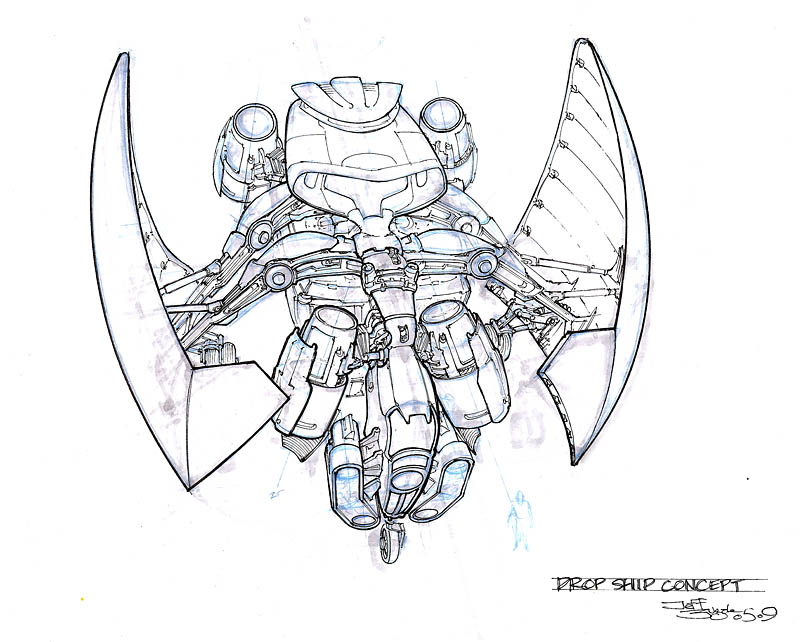
Design Project: Dropship

Here's the digital-marker version of the design drawing:


Yeah, that's better. Is this a perfect drawing? Of course not. I think if I turned it in to Scott Robertson, it would get a C-minus because of some technical flaws. However, it says what it needs to say, I think.

Oops, forgot to drop in some people for scale. Will update later and repost.

Labels: , , , , ,

Tuesday, June 02, 2009

What's Wrong With This Picture?

If you are an artist of any kind, especially in a professional capacity, you must get very good at playing the game "What's Wrong With This Picture." Even if you've been doing it for years, you will very often work for quite a while on an image before looking at it and saying to yourself, "there's something not quite right about this, but I don't know what." 99% of the time, your instincts are correct - there's something off and you're missing it. I'm not talking subjective things like maybe you'd rather the car be blue than red, I'm referring to structural errors like incorrect perspective or lighting, shadows in the wrong place, distortions, and subtle things like uncomfortable proportions, anatomy that isn't working... or the most deadly, the image isn't actually telling the story that you want to tell.

It's not so important with expressive fine art or personal work, but if you're making a picture or illustrating a concept that you're trying to sell, it is vitally important that you figure out what's wrong and fix it. The last thing you want is for your client to look at the picture and say "hmm, there's something wrong with this, I don't know what it is, but it makes me not want to buy it."

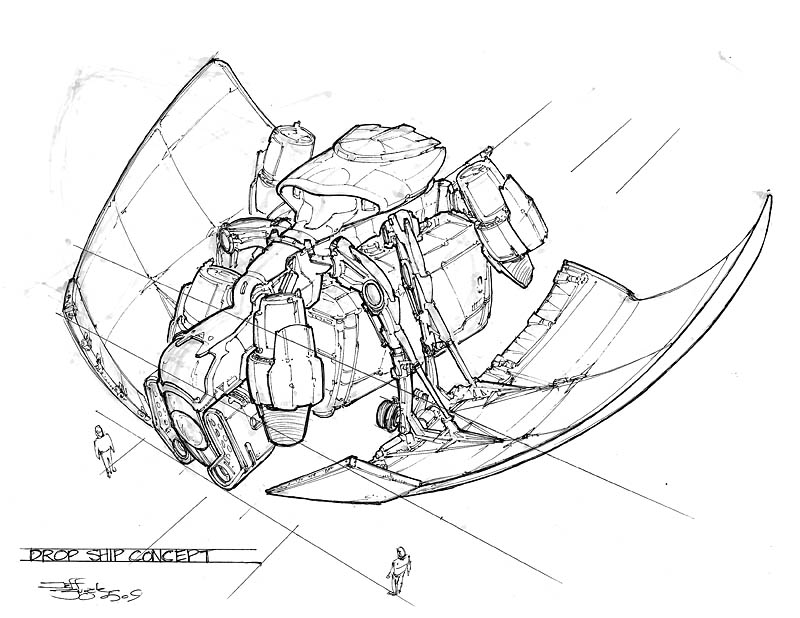
I thought I'd share an instance of this that I've just experienced. Here's a picture I drew last week:

I had this idea for a sci-fi "dropship" vehicle, a military troop transport that drops from space down to a planet surface loaded with troops, equipment and maybe vehicles, similar to the role of our modern Blackhawk helicopters or C-130 airplanes. The film Aliens probably has the coolest example of this kind of vehicle. So the thing has to enter an atmosphere, find a landing zone, and deliver the troops and hardware.

Now, there's nothing really egregiously wrong with the above sketch. It looks like a military spaceborne dropship. You can see the cockpit, thrusters, cargo pod, the big wings, and a couple of guys for scale. The perspective is pretty good, the linework is solid.

But when I was finished with it, I knew it wasn't right, and so I had to play WWWTP?

OK, so there's nothing intensely wrong with the drawing. The rear starboard thruster is a little off in placement, not a big deal. Hmm, the cockpit seems a little "fat" compared to what I saw in my head, is that it? Hmm... are my scale guys too small? I know I messed up the starboard wing in perspective at first (you can see the marker sketch goes out too far), but I fixed that... what the heck is wrong??

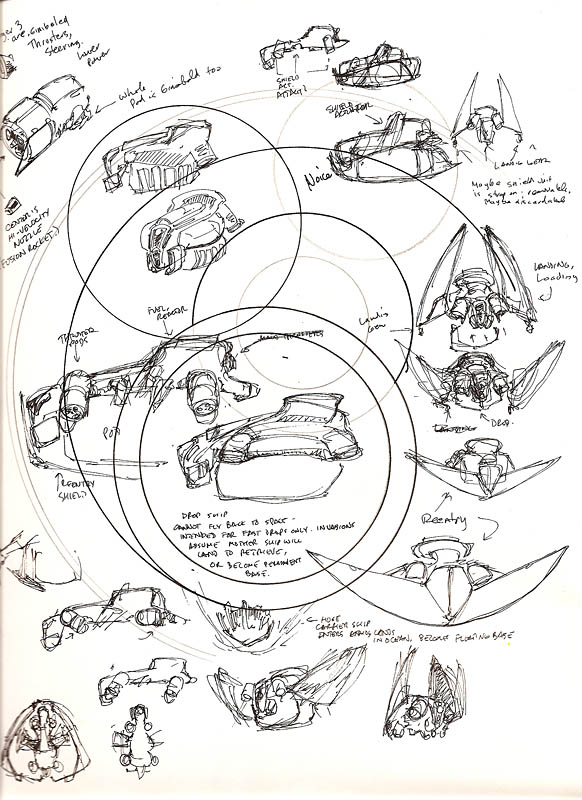
To show you, I have to show you the sheet where I was scribbling rough ideas:

Here I'm playing with the idea in my mind on a piece of scrap paper, you can see I was testing a new compass on it first. Can you see what's wrong with the first picture yet?

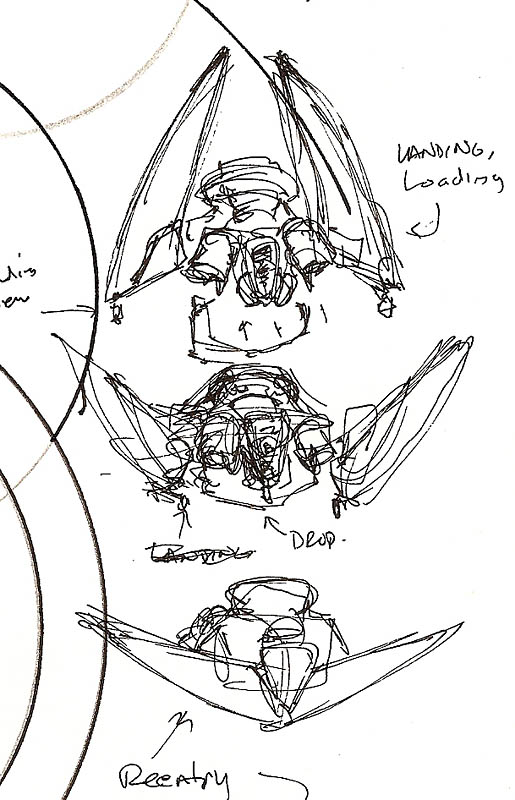
If not, the problem is made clear by this detail from the scribble page:

The "core" feature of this vehicle in my imagination was that the "wings" are a movable re-entry heat shield, which is closed as the ship hits the atmosphere, acting just like the tiles on the Space Shuttle, absorbing and deflecting the extreme heat of friction. Perhaps they have some ability to control the path of the ship as it slows down, via slight warping of their shape. Once the ship is near landing, the wings open up and the ship slows down with the thrusters until it lands. While it's on the ground, the wings act like armor, adding protection for the troops as they disembark.

When I looked back at this initial sketch, I realized what was wrong: I had failed to show the ship at an angle that shows off its best "look."

See, with those wings open, the ship has (in my opinion anyway) a really cool silhouette. It's got a kind of bat-wing effect, it looks sinister and menacing. If you were on the ground seeing these things coming down, it would be scary to watch the wings open like claws or jaws and spread out, with the thruster rocket exhausts looking like giant flaming teeth shooting out between them. From the front, the ship has a distinctive and interesting shape, which also (hopefully) has a psychological effect on the viewer.

In the first sketch, you see none of that. It's just not an exciting drawing, and it completely fails to show the most important aspects of the ship's function which is plainly clear in the scribble showing the different wing configurations. And really, it doesn't show the overall shape of the ship very well, you can see that the body of the ship is just kind of a blob of shapes in an uninteresting, almost rectangular outline. It is, frankly, kind of boring apart from a few details here and there. I made the deadliest mistake - I didn't tell the story that I wanted to.

Well that certainly won't do. The client isn't going to buy that - especially if another artist on the team has done a better drawing. If the client does buy it, they won't be excited about it. If I were lucky and this thing was chosen, nobody would see how it worked until it was built in 3D and put into the game or show, which might be months from now.

When it's wrong, you have to throw it out and do it over again. Which sucks. But you absolutely must be ruthless about cutting away anything that isn't right. It doesn't matter if you spent all day or all week on the image - if it's wrong, toss it and draw it again.

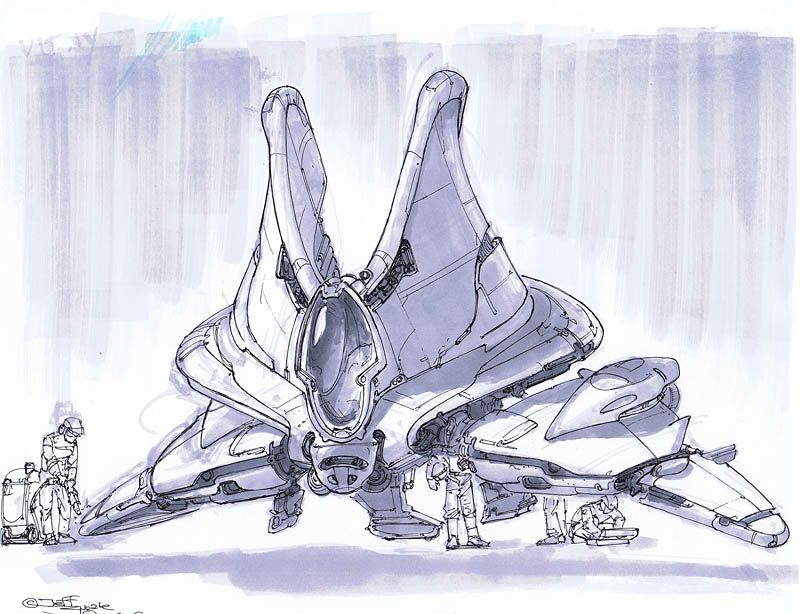
So I did:

MUCH better. The silhouette is now obvious. Even the core body looks better. I've kept the interesting details of the upper part of the ship. It should be pretty clear that the wings are on hinged arms that allow them to open and close. The ship looks far more menacing and even though you can see the landing gear is down and maybe it's sitting still on the ground, it still has a sense of movement and flying, because the shape just says "I'm fast and dangerous and I bite." To be absolutely sure the idea gets across, I can easily paste the detail from the scribble sketch onto this picture to plainly show the different wing configurations.

This thing would look cool in a movie scene or a video game... but you can't see that at all from the first drawing!

I learned a lot from this, I feel like I took a step that I might not have 6 months or a year ago. It may seem kind of obvious (especially to my professional colleagues), but it's still really easy to get wrapped up in technique or details and forget what you're really trying to communicate. That's exactly what I did in this case, and I'm glad I caught it. From a FAIL to a WIN!

That's why an artist has to play WWWTP constantly, at every stage of picture-making. You won't ever get the coveted "Fabulouso!" stamp on your drawing if you don't.

Labels: , , , , ,

Tuesday, May 26, 2009

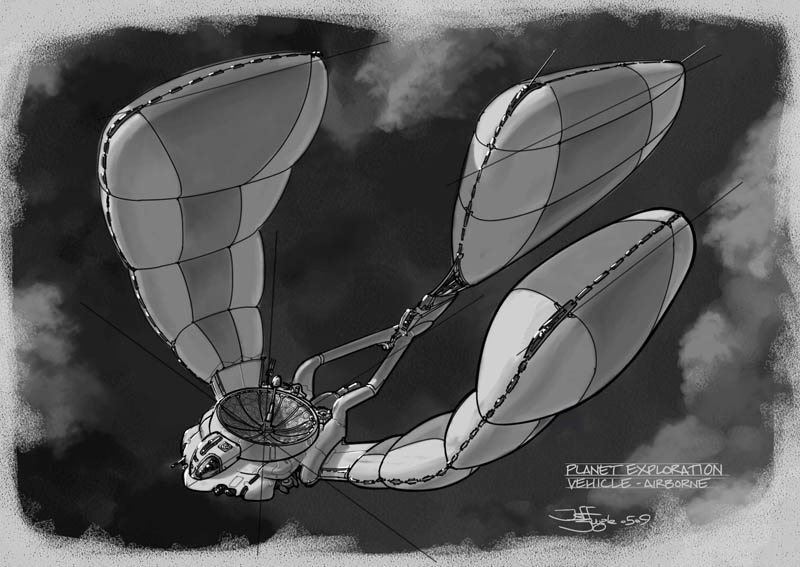
Design Project: Planet Exploration Vehicle

I asked my esteemed colleague Kevin (who is currently kicking my ass with his output, so I gotta catch up) to throw me out an assignment off the top of his head, and he IMed back "Planet Exploration Vehicle." So here is one of those:


I saved out many progress images in case anyone wants to see the process. I'm trying to work in something similar to the Doug Chiang way, so...

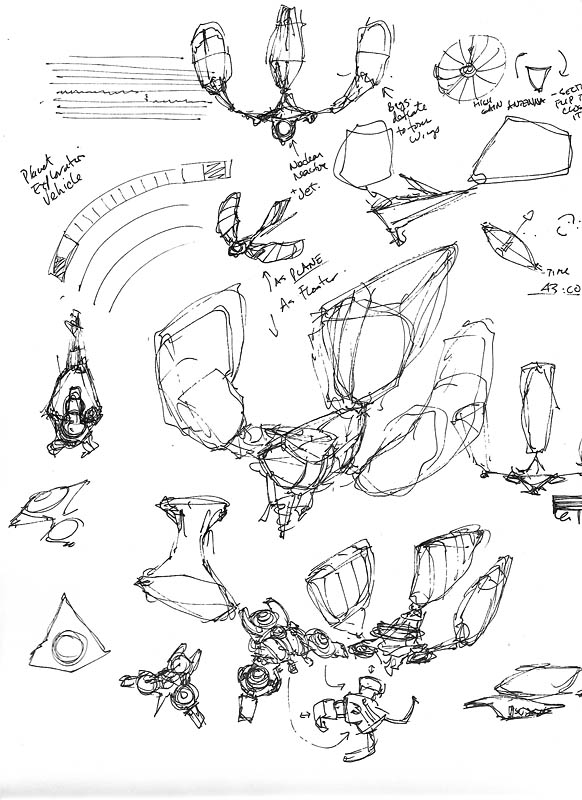
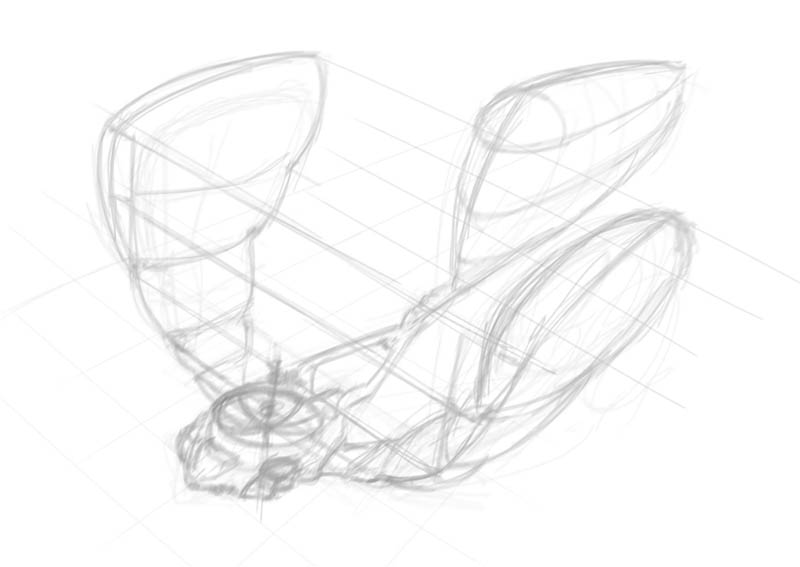
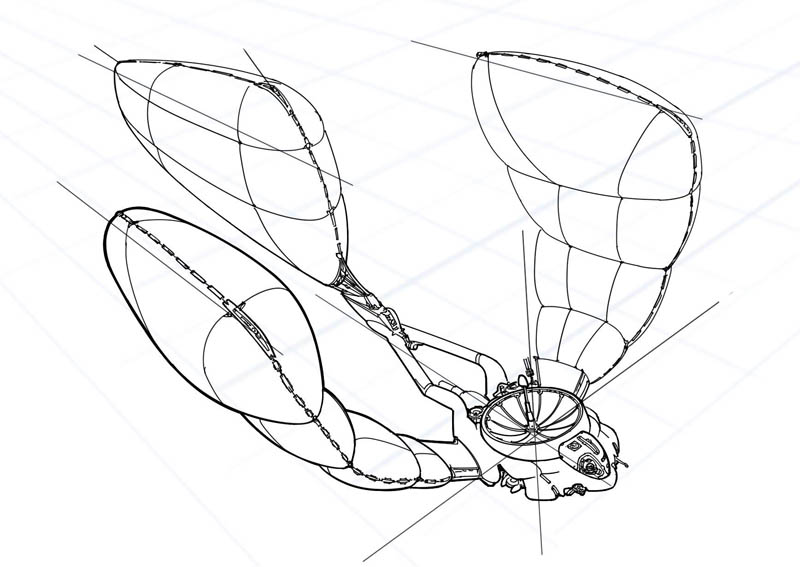
1. I started with a really rough page of thought-scribblings, going with the first shape that popped into my head, which you'll see in the middle of the page.

The first thing that came to me was "aerial automated probe for dense-atmosphere planets." I made some notes about how I thought it might work: nuclear-reactor powered, the reactor runs a jet engine and a compressor to inflate/deflate the balloon/wings, attaching small fast drone planes for flying out to gather info, other stuff like that.

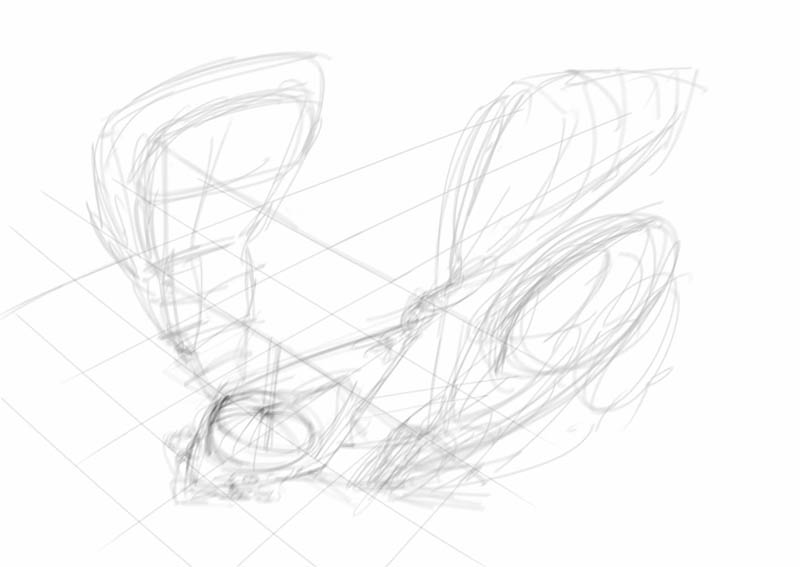
2. First quick marker layout - actually I did all this digitally in Painter, so it's not really a "marker," but this is still how you do your first layouts, with a light gray 10%-30% marker to whip up a quick sketch:


3. Next, on a new layer, a cleaner version of that super rough marker:


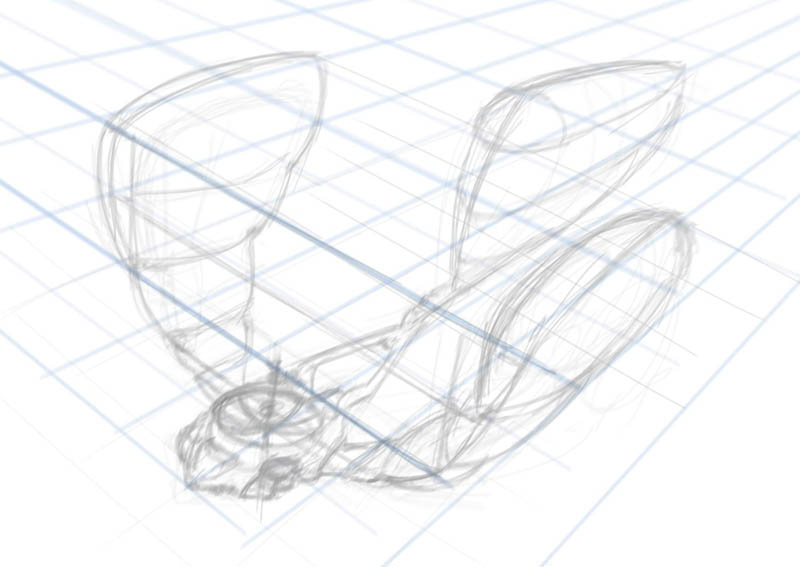
4. Now, lay in some fairly accurate perspective guides - to do this, I added a lot of canvas to the image so I could make a horizon line and vanishing points which are very far off the "page" of this drawing.


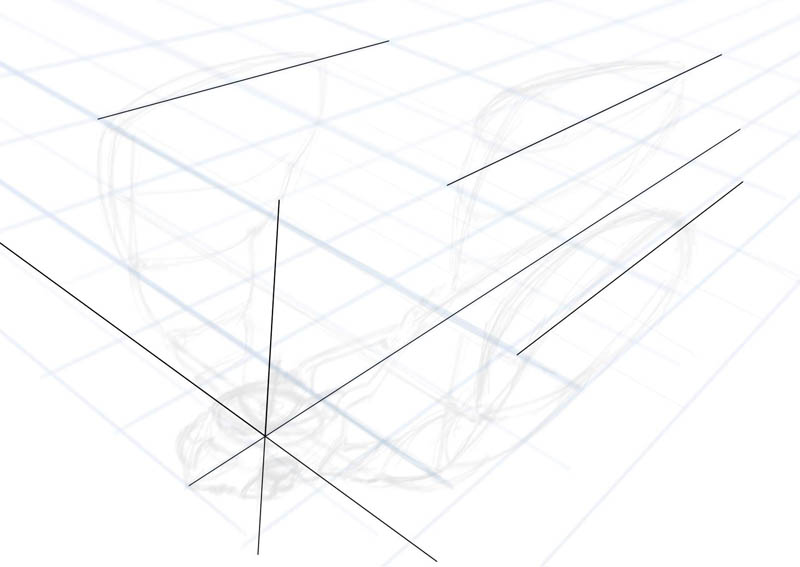
5. Chiang does a thing where he lays in very strong clear "centerlines" of some of the important components of whatever he's drawing, so I do that here. These lines stay in the final image, but I still put them on a separate layer in case they don't work for me.


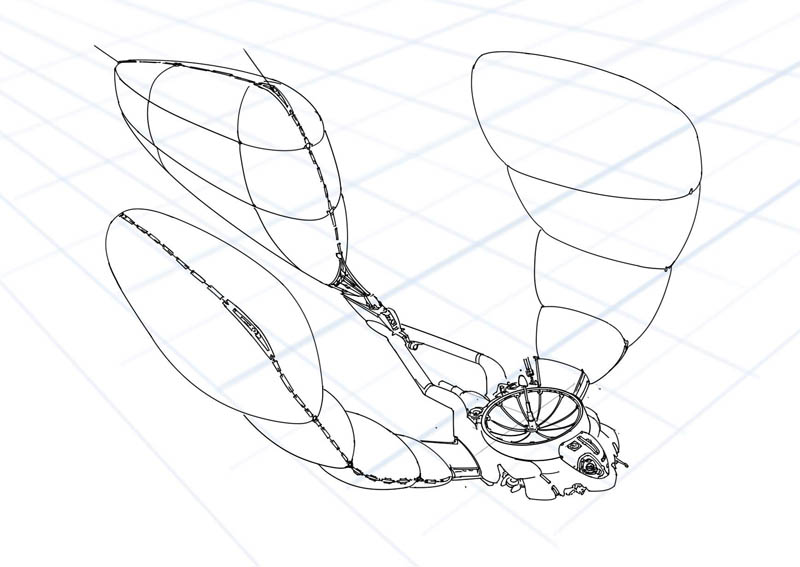
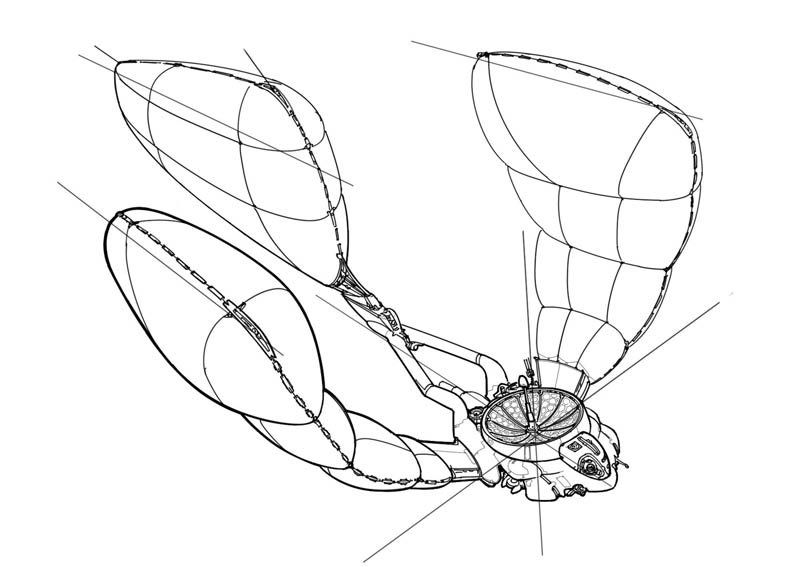
6. Time to do some inking. This is pretty straightforward, just using my "ID Pens" in Painter. I flipped the image to make sure nothing was off - something I do a lot, it's easy when you're digital. I flip 6 or 8 times during every stage of this process!


7. More inking. Adding more detail, thickening some lines.


8. Final inking. Just added some small detail here, like in the antenna dish.


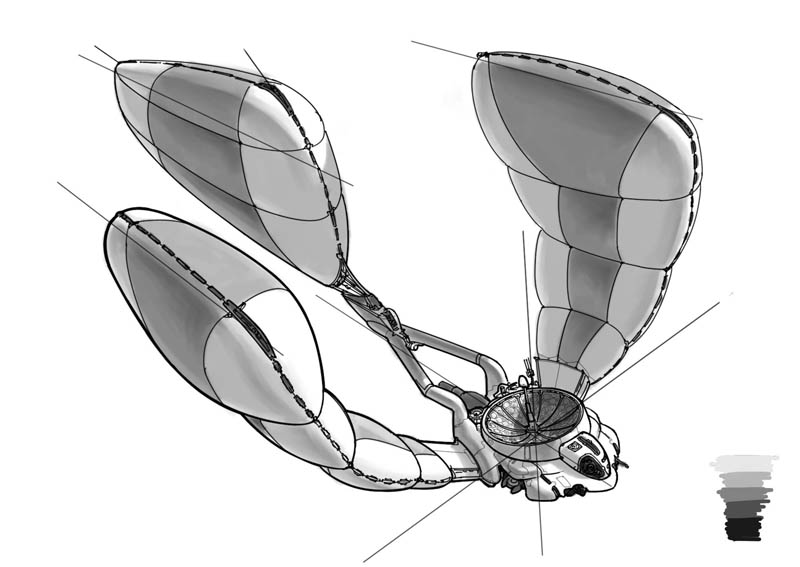
9. Marker rendering. This actually took 4 passes, because the first 3 sucked. Painter's "marker" tools are not quite like real markers, so I tried a number of approaches including using the watercolor brushes instead. Eventually I saved my own marker brush variant and did some major tweaks in the Brush Creator to make it behave much more like a real marker, and finally got something that satisfied me:

You can see I put in some color swatches there to pick from. They're 10, 30, 50, 70 and 90%, just like the real-life Prisma and Copic markers I use on paper.

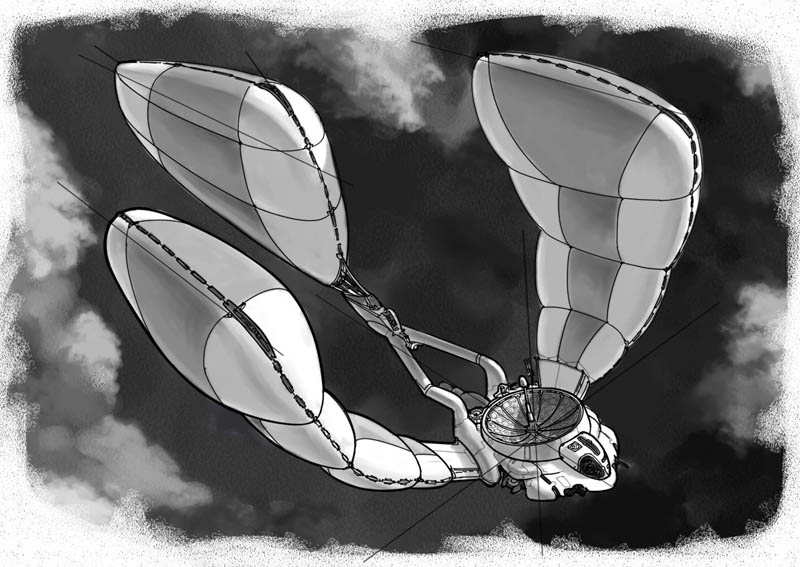
10: Add a background - this thing looked boring on white, so I put in a layer underneath all the art and made a dark, cloudy bg using watercolor and chalk brushes plus a special cloud brush I adapted from David Levy's Photoshop brush set.


11. Final Image. I wanted to put white highlights on with "gouache," so I had to actually knock back the 100% white of the drawing. It's harder to do this in Painter than in Photoshop because the Contrast tools don't affect pure white. Instead, I made a new layer above the grayscale work, filled it with 5% gray, set it to Multiply and then flattened it down. Then I used a "gouache" brush with pute white to drop in some overlaid highlights.

Title it, sign it, date it, it's done. So, there's a design 3/4 drawing for this PEV. The next step will be a full-color paint in the target environment and a set of orthographic drawings. This view doesn't show many details of the construction that I see in my head, nor does it explain things like how the dish antenna actually flips itself over to streamline the plane for high-speed flight. Thus it's not enough for a modeler to build it to fit the "story."

The final paint will show both high-speed (balloons deflated to wings) and this low-speed configuration, with a bottom 3/4 view showing underside details and one of the little drones flying out to investigate something.

I'm gonna wait a bit on the final paint though. I want to get more design work done on different ideas that I have.

Hope you like this thing and a look at the process.

Labels: , , , , , ,

Tuesday, May 19, 2009

Sir Sketchalot

While you're waiting for the next comic, here's a few things from the giant stack of sketching I've been doing, on paper with markers:

Automated street vacuum:


Some kinda machine-y thing:


Dog-like mech:


I'm both going back to some of my sketching roots and working to be in Doug Chiang space. Trying to learn to get the same kind of look that Chiang gets with markers, which seems very specific - haven't quite found it yet. He's working the marker in a way that gets a crisp smooth wash.

Lots more to come, soon.

Labels: , , , ,

Thursday, April 16, 2009

DW IV - more designs

Last night I did some War Machine designs:

machine designs 1

machine designs 2

I like the stuff on the first page. The second page isn't as lively, although the image I have in mind of the large thing at the bottom is from a low angle on the battlefield and this particular design might look pretty cool as an illustration if not as a designed object.

Really, I have to remember that, like designing stuff seen in a movie, I probably only have to worry about this thing from one angle, even with the contest requirements of a concept art sheet. Designing for a video game, you need to design the whole object from all angles and think a lot about how it's going to move and act and be lit and all that. For this task I really don't have to worry about that - I just need to make a "pretty picture."

Hmf. Looks like I may be in a bit of a "shape rut" too. There are similarities between the Machine and Demon designs. I think I'll try a bit of Vyle's random brush techniques and see what happens there.

Labels: , , , , , ,

Tuesday, April 14, 2009

Dominance War IV: Main Challenge Begin!

It's time for the Main Challenge of Dominance War IV. It's another character design/render, and this time we have 3 races to choose from with 3 classes in each race. I've looked them over and decided that I will do either a Demon Lord or a War Machine - both are supposed to be huge creatures bristling with weapons or magic or demon-whatever.

Tonight I started doing some shapes and silhouettes of Demon Lords to see what kind of ideas I could come up with:


Yep, that there's quite a pile of ugly, to be sure. I like most of these enough to go to a more detailed sketch phase, especially the ones up top. I'm the kind of weird guy who, when someone says "do a demon," I want to do something that is not human-shaped or possibly not even vaguely humanoid at all. Something really nightmarish and mind-bogglingly hideous. If there's one complaint I have about Dominance War, its that the competition really favors some particular types of humanoid characters. I like to buck trends like that... of course, it may mean that no matter how well-designed and rendered my piece is, it won't make the cut.

Anyway, I'll be continuing this work on my UStream Live Video channel most weeknights from 9-midnight and Sunday afternoons from 3-6pm Pacific Time, from now until the end of the contest, which is May 11th. Tomorrow night (Wednesday 4/15) I'll be continuing with some design work on War Machines.

Here's my official contest entry thread on CGSociety, too.

Labels: , , , , , , , ,

Wednesday, February 11, 2009

Victorian Vampire Valentine

Sketched this between caricatures at Wumpskate this past Monday:


Anyone want to buy it?

Labels: , , ,

Sunday, January 04, 2009

Steampunk Challenge - Layout "Finalized"

Time is up for doing layout, so here's what I'm going with:


The Hare has been redrawn from scratch. TGF pointed out that the previous pose could be stronger and bring the eye back into the image, so I quickly redid the sketch, then moved it around until it looked okay to me.

IMO, this still may not be the best solution to my illustration problem, but it's strong enough to stick with it. I'm going to keep everything on layers, which I don't usually do, in order to allow some tweaking later on.

Time to start painting! Wish me luck...

Labels: , , , , ,

Friday, January 02, 2009

Steampunk Challenge - First Steps

Right, so, holidays are over. Back to work!! I only have 9 days to complete my challenge entry, so it's time to just do the painting. I'm starting out with a rough layout sketch in blue pencil on 9x12 Bristol paper:


This is kinda what I saw in my head when I first thought about the Tortoise vs. Hare theme. It's a start, but I'm not sold on it. I've scanned it into Photoshop, so now I'm going to cut out the main components of the image so I can play with them and move them around. First the Tortoise:


And then the Hare:


I'm using Ctrl-J to duplicate the selection to a new layer. Since there's a lot of tone to the original scan, it's giving me kind of an old-timey tracing paper look, which I think is fun.

I did the lower left scrollwork more completely than the right, so I select, duplicate, flip and move it to mirror to the other side:


I like the shape of the picture oval at top right better, so I do the same and mirror it to the other side. Then I erase the mirrored Mr. Crabthwaite...


...and paste in the Commodore instead. I'm really diggin' the tracing paper vibe, reminds me of doing stuff like this when I was a kid:


So here's the main meat of what we've got, the two contestants and the frame. I'm going for a really 19th-century poster or playbill or even newspaper look, basing on things like Barnum & Bailey Circus posters:


At this point I'm not liking how big the Hare is. Even though the contraption is inherently much larger than the Tortoise, the scale is feeling odd to me and I can't really seem to get a handle on how the road underneath it is going. So I'm gonna make the Hare smaller to push it back and allow me to show more of the road, while also really roughly sketching in some of the landscape:


There, that's better. I think this is a workable layout. Then I think to myself, well gee, there's not a lot of crowd showing - you'd think this race would have a pretty good turnout at the finish line. And maybe the whole image is a bit squashed? What would it look like if I changed the aspect ratio to a wide view? Photoshop magic, commence:


I roughly doubled the width of the image and spread everything out a bit, then re-sketched the rough background. You can see there's lots more crowd and a much clearer view of the whole road. We lose some sky but maybe I can re-work the landscape... oh wait. There's way too much dead space to the right of the Hare. Crop tool time...


OK, that's better. Looks more balanced to me. I've got some triangular composition going between the Tortoise, Hare and the guy with the finish flag. The curves on the road guide the eye better, I think. This is workable too.

Now, decision time. I have 9 days. Do I really want to paint a big crowd of people? That takes time. Can I figure out some painterly shortcuts to speed that process up? Maybe. I'll sleep on it, but at this point I'm leaning toward staying with the vertical layout and finding a way to compress a feel of more crowd and also a better suggestion of how the road works in there.

More tomorrow...

Labels: , , , , ,

Thursday, December 18, 2008

Steampunk Challenge - The Hare

Here's the next bit of concept work for the Steampunk Challenge. We have our Tortoise, so here's the Hare:


I actually did another version of this first, a more "iron" mechanical clanking monstrosity:


...but TGF pointed out that it didn't really look much like a hare. I realized at that point that I'd gotten a bit lost in the mechanical details and thoughts of "how would it work" rather than "what will look right for my image," so I stopped and did the second version, which I like much better.

I'm sure I went a bit overboard on the details of the second one, but these drawings are just to get the visualization of what the thing might look like in my head. I'll keep the large shapes, but I'll cherry-pick the details in the final image to make it look balanced and consistent.

Next up, layout for the final painting.

Labels: , , , , , ,

Thursday, December 11, 2008

Steampunk Challenge

CGTalk has started another art challenge, "Steampunk Myths & Legends." I'm starting late, all the best legends are taken, so I'm going to do a more humble yet enduring fable instead: "The Tortoise and The Hare."


I'm telling the tale as a gentlemanly race between the champion Commodore Harding Rasmussen (and crew), with his celebrated racing conveyance "The Hare," and office clerk/backyard inventor Mr. Arlo Crabthwaite (and son) and his ingenious competitive land transport, "The Tortoise," which you see above.

This is a concept drawing just to bake the Tortoise (and Mr. Crabthwaite) into my mind. Tomorrow I'll do one of the Hare, and then I have to get working on the final image, which is due January 12, so I'll have to hustle.

If you want to follow my entry on CGTalk, here's my thread.

Just for fun, here's the drawing in ye olde blueprint style:

Labels: , , , , ,

Thursday, October 02, 2008

One from Way Back

Mom is moving to a new apartment, so she's been going through stuff. I guess she's found a few of my old drawings, she just emailed me this one from 1979:


I guess you can kinda see where I was at back then, huh. :)

Labels: , , , ,

Thursday, August 14, 2008

Side Project

Here's some art I did for a personal side project recently, sorry I didn't put it up sooner:


It's some kind of alien energy amplifier installation that's piggybacked on a hydroelectric dam in the American Southwest. They're stealing our power to build a hyperspace bypass! At right is our human stealth soldier who's trying to infiltrate the plant and destroy it.

Here's the initial set of value thumbnails:


Then I did a larger value pass:


And then a fairly tight line drawing over that:


From there I combined the line art and value pass and painted it. It's kind of a rough paint, about halfway between a speed paint and a polished image.

Also, I did a some more detailed drawings of one of the big weird machines, first a couple of orthographic views:


Then a 3/4 view lineart and color:


This wasn't an assignment for the environment class, but it was kind of related to it. I don't think it counts as homework, because it's not in the theme of the class... oh well. :)

Labels: , ,

Tuesday, July 08, 2008

Latest homework

I didn't wind up doing any more homework for week 3, but I had some good time to do my assignment for week 4, which was to do 10 value studies of scenes from favorite movies - stopping the DVD on a particular shot and doing a grayscale paint trying to match it.

I was able to take the time to do some of them from The Incredibles in gouache, which was really relaxing:


And I did a few more digitally in Painter from Star Wars:


These were fun and I learned a lot of things from them about lighting and value arrangement, and there's a lot of really interesting details of how the shots are staged and lit that were fun to discover. You may not like George Lucas's scripts much (and they have some appalling moments), but the guy really does (or at least did) know how to compose a shot. And of course Brad Bird's work on Incredibles is absolutely flawless, so it doesn't hurt to learn from the master.

Labels: , , , ,

Tuesday, June 24, 2008

Environment Class Week 2, and then some

Here's a couple drawings I did for class, line art design sketches of a couple of the ideas from last weeks thumbnails. First is a flying city cobbled together out of large aircraft and various parts; it would be assembled "on the fly" in midair and could never land:


The second is a hovering city that's built around huge turbofans that hold it up in the air:


And here's some of the homework for next week, just doing silhouettes and shapes to come up with more interesting designs:


Updated: here's another page of silhouettes:


And a speed paint trying some techniques from classmate Jason:

Labels: , ,

Tuesday, June 17, 2008

Environment Class, Week 1

I'm taking an Environment Design course at the Concept Design Academy in Pasadena, taught by Brian Yam from Insomniac Games and John Wu from SCEA. Just trying to sharpen up my work a bit, do some different things, learn some new techniques and approaches, and maybe put together a few more portfolio pieces.

Over the course of the class we'll be developing pieces for a pretend game development project, which involves enormous mobile cities that travel around the world via land, air or sea looking for resources and fighting with each other.

First week's assignment was to thumbnail out some very rough ideas:


it was supposed to be just line art sketches, so I sorta did it wrong by doing these little value paint sketches, heh. I do line art stuff all the time, I wanted to do it a little differently.

Labels: , , , ,

Sunday, April 13, 2008

Dominance War: All Together

Here's all three final images in a single post just to make it easy.


Labels: , , ,

Saturday, April 12, 2008

Model Sheet Complete!

Aaaand, I'm done! Here's the model sheet:


I'm happy with this entry. Hope the judges like it too... but even if they don't, it's a nice piece for the portfolio.

Ahh. West and wewaxation at wast. :D

Labels: , ,

DWIII Concept Sheet

Here's the concept sheet that the contest requires.


I kinda did it backwards, I made this sheet after I finished the painting, though I had most of these sketches done separately. As long as it's done, heh. :)

Now, lunch. Then right after, I gotta do the ortho-view modeling sheet. Almost there!

Labels: , ,

Monday, January 07, 2008

Lots of Airplanes

Yep, still doing airplanes.

This one's a bigger version of one of the little ones from the older sketches. It's a little off at the front, but practice practice practice...

Also still continuing my quest for the supersonic propeller plane:

These props are much more like what you'd actually need for a supersonic propeller. My research says that it's pretty much impossible to go supersonic with a piston-engine plane, so all these need to be turboprops, powered by jet engines spinning the propellers.

These are drawn much bigger than my usual sketches, I got a pad of 14x17 newsprint so I could sketch big. It seems to make a difference, I can use my whole arm to draw so it feels good and I can do precise lines more smoothly. Can't scan 'em tho, so these are photos with my digital camera. They've got some lens distortion... ah well.

I also played around with Sketchup this weekend. I started drawing an environment sketch, and kinda liked one of the buildings, so I decided to try modeling it. It's kind of a futuristic elevated train station:


Heres a view from one end into the platform:


Sketchup is fun and quick and pretty easy to use, mostly. There are some things that are a bit odd about how it works, sometimes it's not snapping to the points you want it to, but you can't tell until you've created a bunch of geometry and you realize it's just SLIGHTLY off - like you delete something that shouldn't be attached to anything, and something unexpected also disappears because it is actually attached. Seems like it pays to hide any geometry you're not actually working on.

Still, it's powerful and fast and you can make pretty complex stuff with it. And you can't beat the price - FREE!

Labels: ,

Monday, December 17, 2007

More Sketches

Yep, more sketches. I have a lot more than these but I can't really put them all online. Most of them are pretty boring exercises in construction or light and shade (or both), kinda like this one:


Doing a lot of airplanes, because I've been watching the Scott Robertson DVD on aircraft. Mine are not so fanciful as his. However, airplanes are excellent practice for drawing 3D forms with accurate perspective.


Pulled one of these planes out and cleaned it up on tracing paper:


I traced this plane off a very messy scribbly sheet of sketching, I liked the shape:


So I went ahead and did a more elaborate drawing, which turned out with parts that aren't right:

Somewhere during this drawing, I came up with a sort of story idea where this plane is going to try to be the first prop-driven aircraft to break the sound barrier in level flight. Actually I think that may be physically impossible (though it was apparently done a few times in steep crash dives during WWII), but it's a fun sort of romantic extension to the old prop-plane/barnstormer sort of tradition. So this is a plane that's got a really huge powerful engine with two counter-rotating props to partially offset the massive engine torque, and some fancy swept-serrated wings like a jet fighter, with control surfaces that are more like modern supersonic fighters - the older control surface systems don't work well up around and beyond 1.0 Mach because the physical airflow forces are much different from subsonic flight. But I digress...

Anyway, I could see that the drawing was off, so I laid out a more formal perspective grid and got it more accurate:


I guess it's hard to see since this isn't a completed line drawing, but the wing on the right was too long in the first drawing, and some of the details at the front weren't in proper perspective. I tried to correct all that. I spend a lot of time trying to get the prop ellipses right drawing by hand; I don't have ellipse guides that big (this sketch fills a sheet of 9x12 marker paper) so I'm gonna have to check them in Illustrator or something.

Eventually I wound up with this side view, which I rendered quickly with marker:

I'm still gonna go back and work the previous sketch, most likely doing a layout in Illustrator and then ink drawing in Painter. Might go on to do a full photo-real rendering too.

I was also watching my Syd Mead DVDs again, and among other little drawing notes, I made a couple of "master copies" of the "Sport Hypervan in the DuPierre Equine Courtyard" image value comps:


The Hypervan isn't really drawn in the right proportions, but these were still fun, quick and good exercises. Someday I'll have that kind of layout and design sense...

Labels: , ,

Tuesday, December 11, 2007

Sketchy Dumpy

As you know I'm working hard on rebooting core skills, so I've been doing a lot of sketching. Basically I'm working from the Gnomon Scott Robertson DVDs, the ones on basic perspective drawing and shading. This week, mostly on the perspective stuff. Here's some of the better pages:


Getting the ellipses right in freehand is really hard, but it's something I have to master. You can see the wheels on the car above aren't quite right, and the prop on the shaded airplane in the next image up is off. I'll take these into my programs and correct them so I know where I messed up.

All circles drawn in perspective become ellipses; so for things like wheels and any other circular item you have to master nailing exactly how the ellipse looks in that view or it's just off. Even people who know nothing about this sort of drawing know that the wheels are off, because we all see wheels every day... so this ain't something you can slack on. Of course I can nail them digitally, but that's too easy. :)

I really like the plane on the right in the next-to-last image, that came out really well. For that one I drew the prop ellipse first, using an ellipse template; see how much more "right" it looks?

Labels: , ,

Thursday, November 29, 2007

Thursday is Art Night: More City Gates

I decided that tonight was going to be "Art Night," and that I was just gonna come home, eat a quick dinner and then crank on some arting. Here's the results as of 10:30pm:

First, a bit of warmup...

Working on making 3D cubes and then lighting them properly. It's good warmup for my hands. I recently noticed that I hold a pencil or pen differently from how I hold my digital tablet stylus; the stylus is thicker so I wind up with my first and second finger both on the barrel, as opposed to only the first finger. I find that I grip a pen or pencil much, much harder, but if I instead hold it like my stylus, my grip immediately loosens - which smooths out my lines considerably. Too much muscle tension is bad, can even cause carpal tunnel.

Then, I put about 90 minutes into the City Gates color pass, while running the Syd Mead color preliminary DVD in the background...


I think it's starting to look a lot better. Now that I'm putting in these saturated greens in the foreground, the middle ground of the gate structure is looking a bit too sharply defined and saturated. I'm gonna have to knock that back to give some distance, some atmospheric perspective. It needs to look halfway between the far buildings and the foreground. It's actually quite some distance away, the inside of the tunnel roof is something like 30 or 35 meters high so it's gotta be around a kilometer away from our viewpoint. Each of those horizontal bars to either side of the rounded gate is a balcony, so the walls are about 7 or 8 stories tall.

It's nice to get some stuff done. I'm gonna spend a little more time tonight just sketching.

Labels: , ,